
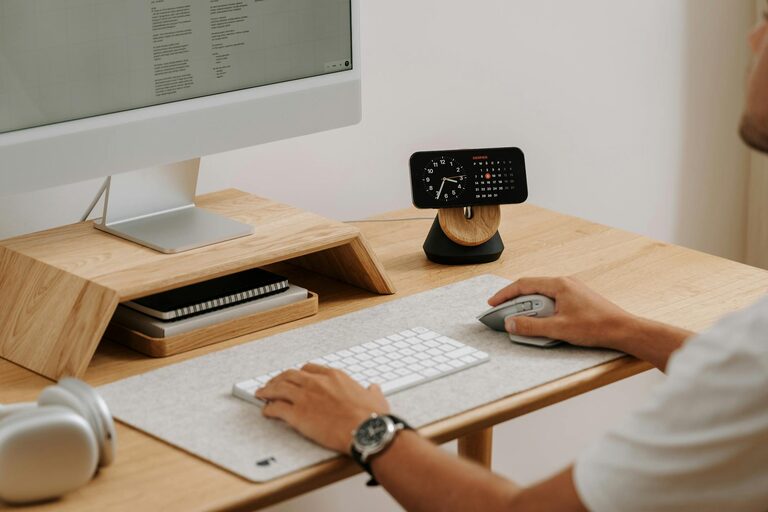
Creating a cozy and productive home office is essential for anyone working from home or pursuing creative projects. A well-designed workspace can boost your motivation, improve focus, and make your workday more enjoyable. Here are some practical tips to help you set up a home office that combines comfort with efficiency.
Choose the Right Location
Selecting the right spot for your home office sets the foundation for a productive environment.
– Natural Light: Pick a space with plenty of natural light. Sunlight increases your energy and reduces eye strain.
– Quiet Area: Choose a quieter part of your home to minimize distractions.
– Privacy: If possible, create a separate room or a designated corner where you can focus without interruption.
Invest in Comfortable Furniture
Comfort is key to maintaining focus and avoiding fatigue during long working hours.
– Ergonomic Chair: Invest in a chair with good lumbar support to protect your back.
– Appropriate Desk Height: Your desk should fit well with your chair to keep your posture natural.
– Adjustable Options: Consider furniture that can adjust to different positions, like a sit-stand desk.
Organize Your Space Efficiently
A clutter-free workspace improves concentration and efficiency.
– Declutter Regularly: Keep only the essentials on your desk to prevent distractions.
– Storage Solutions: Use shelves, drawers, and organizers to keep supplies tidy and accessible.
– Cable Management: Use cable clips or sleeves to keep cords neat and out of the way.
Add Personal and Cozy Touches
Your office should feel welcoming to encourage longer, more enjoyable work sessions.
– Soft Textiles: Add a cozy rug, cushions, or a throw blanket.
– Plants: Houseplants can improve air quality and add a refreshing element to your space.
– Personal Items: Display photos, artwork, or items that inspire you but don’t clutter the desk.
Optimize Lighting
Good lighting reduces eye strain and helps maintain alertness.
– Layered Lighting: Combine overhead lights with task lighting like a desk lamp.
– Adjustable Lamps: Use lamps with adjustable brightness and direction.
– Avoid Glare: Position your screen and light sources to minimize glare.
Set Up Technology for Productivity
Technology should support your work without causing frustration.
– Reliable Internet: Ensure a strong and stable internet connection.
– Quality Equipment: Invest in a good monitor, keyboard, mouse, and headphones.
– Backup Power: Consider a surge protector or an uninterruptible power supply (UPS) to protect your devices.
Incorporate Time Management Tools
Use physical or digital tools to help keep your workday structured.
– Planner or Calendar: Keep track of tasks and deadlines.
– Timers: Use techniques like the Pomodoro Method to maintain focus.
– To-Do Lists: Write down daily priorities to stay organized.
Maintain a Healthy Work Environment
Small changes can make your workspace healthier and more pleasant.
– Air Quality: Open windows or use an air purifier.
– Temperature Control: Keep the room at a comfortable temperature.
– Regular Breaks: Stand, stretch, and rest your eyes regularly.
Personalize Your Routine
A good workspace includes habits that fit your style.
– Start-Up Ritual: Create a routine that signals the start of your workday.
– End-of-Day Ritual: Develop a habit to mark the end of your work, helping you switch off.
– Flexibility: Arrange your space to accommodate your preferred work style, whether it’s sitting, standing, or varying positions.
—
Designing a cozy and productive home office is about balancing comfort and functionality. By focusing on your space’s location, furniture, organization, lighting, and technology while adding personal touches, you can create an environment that supports both your well-being and productivity. Start small, adjust as needed, and enjoy the benefits of working in a space made just for you.