
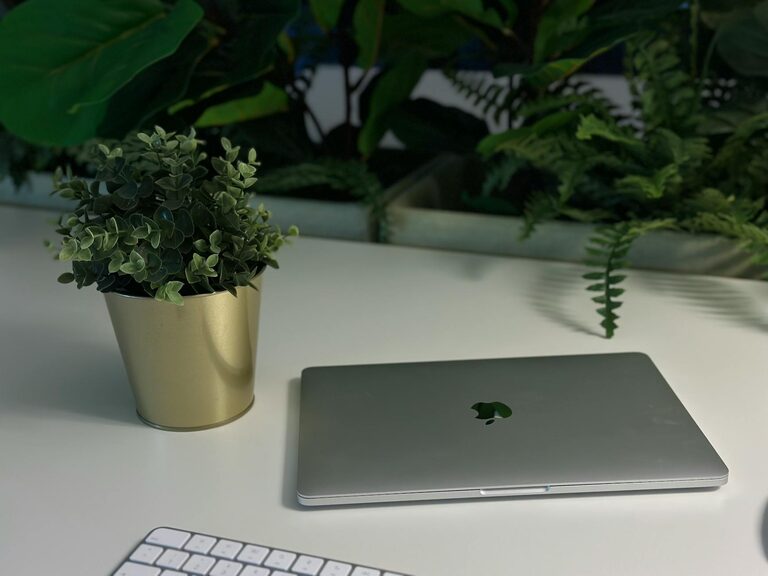
Creating a workspace that is clean and clutter-free can have a remarkable impact on your productivity and overall work experience. A well-organized environment reduces distractions, helps you find what you need quickly, and supports a positive mindset. Whether you work from home or in a traditional office, incorporating some simple organizing habits can transform your workspace into a productivity powerhouse. In this post, we’ll explore practical tips to help you achieve a clutter-free workspace that fosters focus and efficiency.
Why a Clutter-Free Workspace Matters
Before diving into organization tips, it’s worth understanding why a clutter-free workspace is so beneficial:
– Improves focus: A neat environment minimizes distractions and helps your brain concentrate on important tasks.
– Reduces stress: Clutter can be overwhelming. A tidy space promotes calmness and clearer thinking.
– Saves time: When everything is in its place, you spend less time searching for items and more time working.
– Boosts creativity: A clean desk encourages fresh ideas instead of feeling bogged down by mess.
– Enhances professionalism: Whether in person or on video calls, an organized space helps you make a good impression.
Step 1: Declutter Your Desk
Start by removing everything from your desk and giving it a good wipe-down. Then, go through the items and decide what you genuinely need on or near your workspace.
What to keep on your desk:
– Essential tools (computer, phone, keyboard, mouse)
– Daily-use stationery (pen, notepad, sticky notes)
– A water bottle or coffee mug
– A personal item or plant for a touch of inspiration (but keep it minimal)
What to remove or store elsewhere:
– Excess papers or files
– Office supplies you don’t use daily
– Unnecessary gadgets or cords
– Snacks or food wrappers
Set aside items you don’t need regularly and find dedicated storage spaces to keep them out of sight.
Step 2: Use Storage Solutions Wisely
Having the right storage makes organization easier and keeps your desk tidy.
Suggested storage tools:
– Drawers and organizers: Use drawer dividers or small containers to separate supplies like paper clips, pens, and sticky notes.
– File holders: Vertical or horizontal file organizers help manage papers and folders without piling them up.
– Shelves and cabinets: Store books, binders, and reference materials in shelves nearby for easy access.
– Cable management: Use clips or cord sleeves to keep wires from tangling and cluttering your desk.
By grouping similar items and assigning them specific places, you create a system that’s easy to maintain.
Step 3: Digitize Where Possible
Paper clutter can build up quickly, but many documents and notes can be digitized.
– Scan important papers and save them in organized folders on your computer or cloud storage.
– Use digital note-taking apps instead of physical notebooks to reduce paper use.
– Set up automatic bill payments and online invoicing to avoid paper bills and receipts.
Digitizing not only saves space but also makes documents easier to find and share.
Step 4: Develop Daily and Weekly Habits
Maintaining a clutter-free workspace is easier when you build small habits.
Daily habits:
– Clear your desk at the end of each workday.
– File or discard papers you used during the day.
– Wipe your desk and keyboard to keep your space clean.
Weekly habits:
– Review your storage and remove or reorganize items as needed.
– Clean your computer and digital files to stay organized virtually.
– Take a few minutes to plan your desk setup for the coming week.
These routines help prevent clutter from accumulating over time.
Step 5: Personalize with Purpose
Having some personal touches can make your workspace inviting without adding clutter.
– Choose one or two meaningful decorations such as a photo frame, a small plant, or artwork.
– Use organizers or desk accessories that match your style for a cohesive look.
– Ensure these items do not distract you or crowd your work surface.
A workspace that feels comfortable encourages motivation and satisfaction.
Additional Tips for an Efficient Workspace
– Limit distractions: Keep personal phones in silent mode or out of reach while working.
– Use proper lighting: Natural light is ideal. If not available, invest in a quality desk lamp.
– Ergonomics matter: Position your chair and monitor to support good posture.
– Label storage: Clearly labeled containers and folders reduce searching time.
– Plan breaks: Schedule short breaks to refresh your mind and maintain focus.
Conclusion
Organizing a clutter-free workspace is a simple yet powerful way to boost your productivity. By decluttering your desk, using smart storage, digitizing paperwork, and building maintenance habits, you create a work environment that supports your best performance. Remember to keep your workspace personalized but purposeful, and maintain routines that prevent clutter buildup. With these tips, you can enjoy a more focused, productive, and enjoyable workday. Start implementing them today and feel the difference!